Help centreAccount
Check your plan and logins
See which plan you are on, what it includes and how many logins you use.
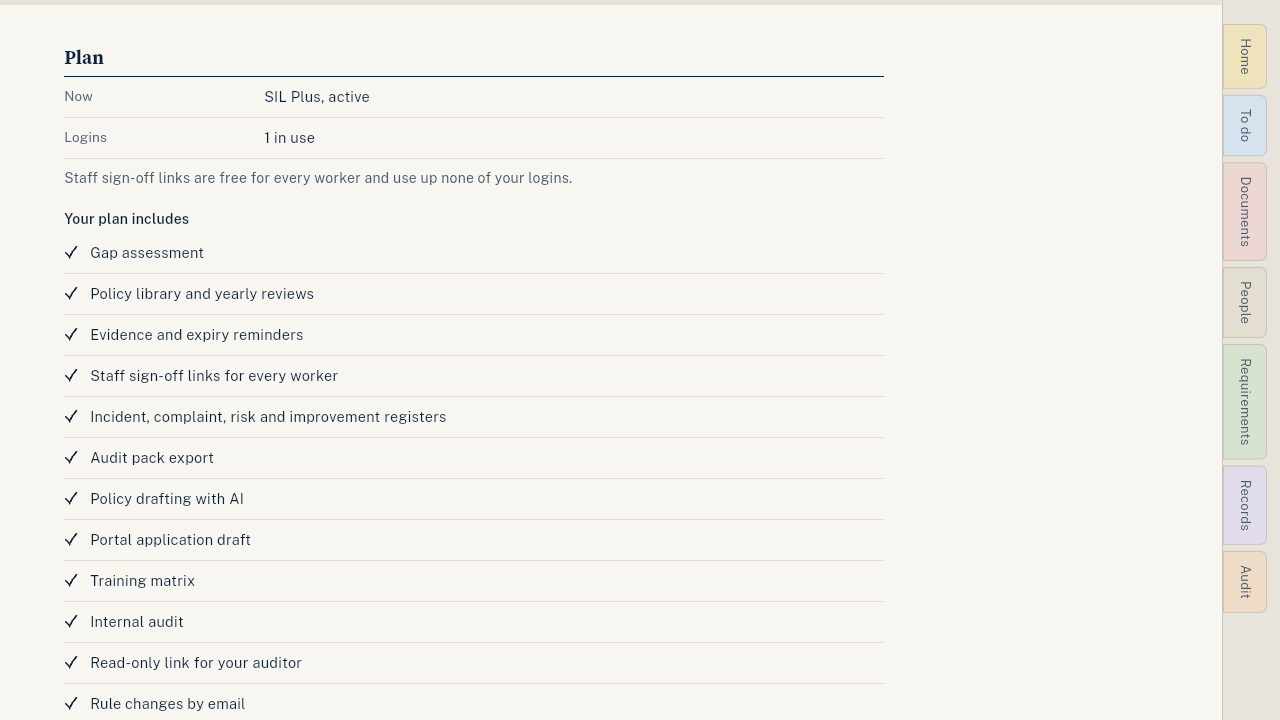
Your plan is in Settings, under Plan. It shows your plan, your trial end date, your logins and what the plan includes. Prices are on the pricing page.
Steps
- Open Settings. On a phone it is under More.
- Scroll to Plan. Read Now for your plan and its status.
- Read Logins to see how many of your plan's logins are in use.
- Read Your plan includes for the features on your plan.
The plans
- Keep: 1 login. For after you register: records, reminders, staff links, registers and audit pack export.
- Solo: 2 logins. Everything in Keep, plus policy drafting with AI and the portal self-assessment draft.
- Team: 10 logins. Everything in Solo, plus the training matrix, internal audit, a read-only link for your auditor and rule changes by email.
- SIL Plus: 25 logins. Everything in Team, plus SIL and extra module policies, several houses and sites, and the restrictive practice register.
Good to know
- Every account starts with a 14-day free trial of every feature. You don't need a card. While paid plans are not open, nothing is charged and you keep full access after the 14 days.
- Staff links are free for every worker and use none of your logins.
- Plan changes in the app open later.