Help centreYour team
Give someone app access
Invite an admin to help run CareHelm, or a staff member to log in to their own page.
People with a login have their own CareHelm sign-in for your organisation. Admins manage policies, evidence and people. Staff see their own page: policies to sign, their documents and certificates, and incident reports.
Steps
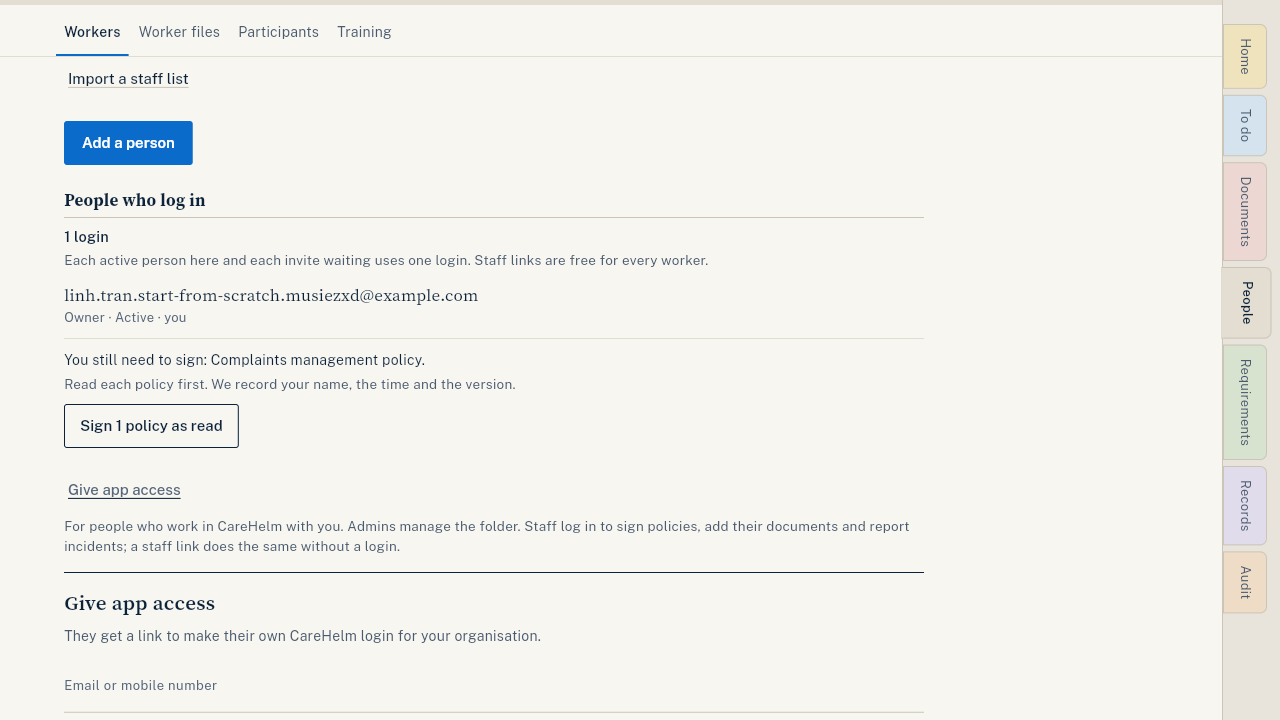
- Open People and press Give app access.
- Type their Email or mobile number and, if you like, their name.
- Choose the Role: Admin or Staff.
- Press Create invite.
- Press Copy link and send it to them yourself. The link works for a limited time; the date is shown.
- They open the link, sign in or make a login, and join your organisation.
Good to know
- Each active person and each invite waiting uses one of your plan's logins. Staff links are free and use none.
- Admins can invite staff only. The owner can invite admins.
- Invites waiting to be accepted are listed under People with a login. Press Withdraw invite to cancel one.
- To change a role or end someone's access, see Change or end someone's access.
- Most workers only need a staff link. See Send a worker their staff link.