Help centrePolicies and documents
Add a certificate or other evidence
Upload one document or several, link them to the requirements they prove, then check and confirm each one.
Evidence is any document that shows you meet a requirement: insurance, worker screening clearances, training certificates, meeting minutes. CareHelm reminds you before a document expires.
Steps
- Open Documents, then Evidence.
- Press Choose files and choose one file or several. PDF, JPG, PNG or Word, up to 20 MB each, and up to 20 files at a time. On a computer you can also drop the files onto the page. On a phone, press Take a photo to photograph a paper document.
- Each file gets its own row. A file that is too large or the wrong type says why in its row. Press Remove to take a file out.
- With one file, type a Title, like "Public liability insurance 2026". With several files, each title comes from its file name, and you can change it when you check the document.
- Choose the Type of document. Press Choose requirements, tick the requirements it proves, and press Done choosing. With several files, these apply to every file.
- Press Upload. Each row shows how far its file is. If you go offline, the upload pauses and carries on when you are back online. If a file does not upload, its row says why. Press Try again in that row.
- Each file appears under Needs your attention as its own document. Press Check and confirm, open the file, and check the issue and expiry dates against it. Type them if they are empty. Tick No expiry date if there is none.
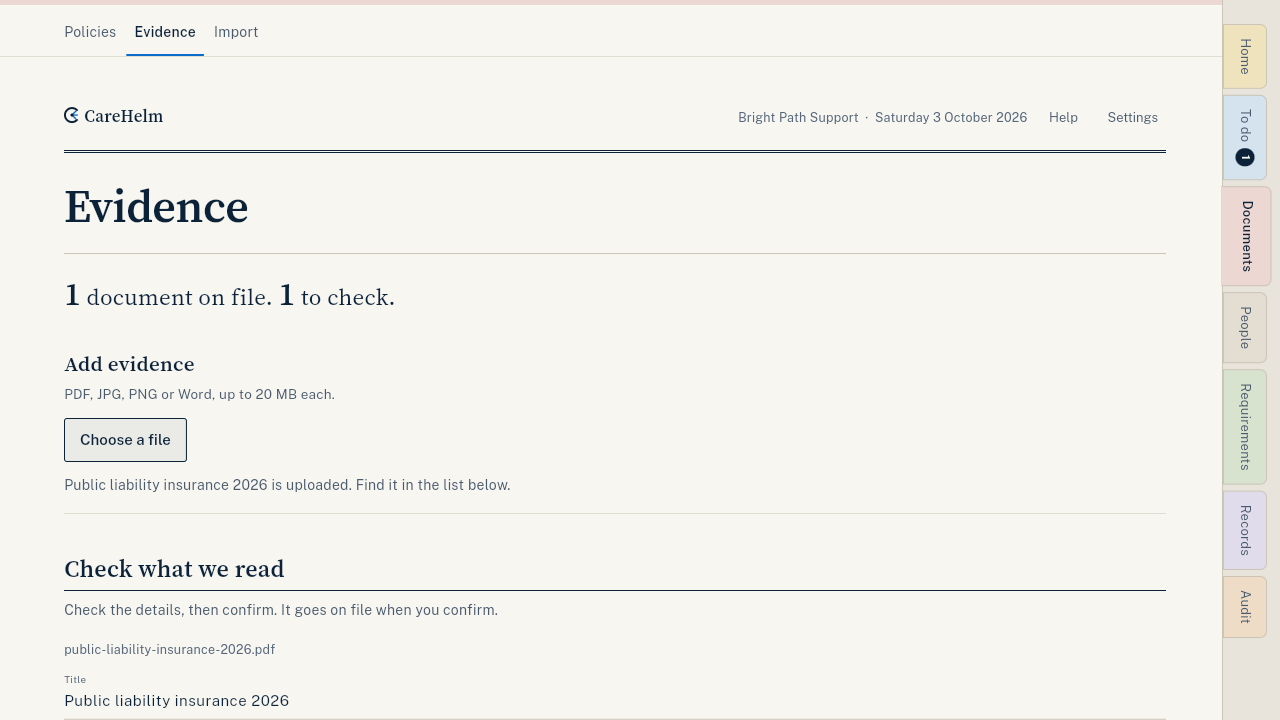
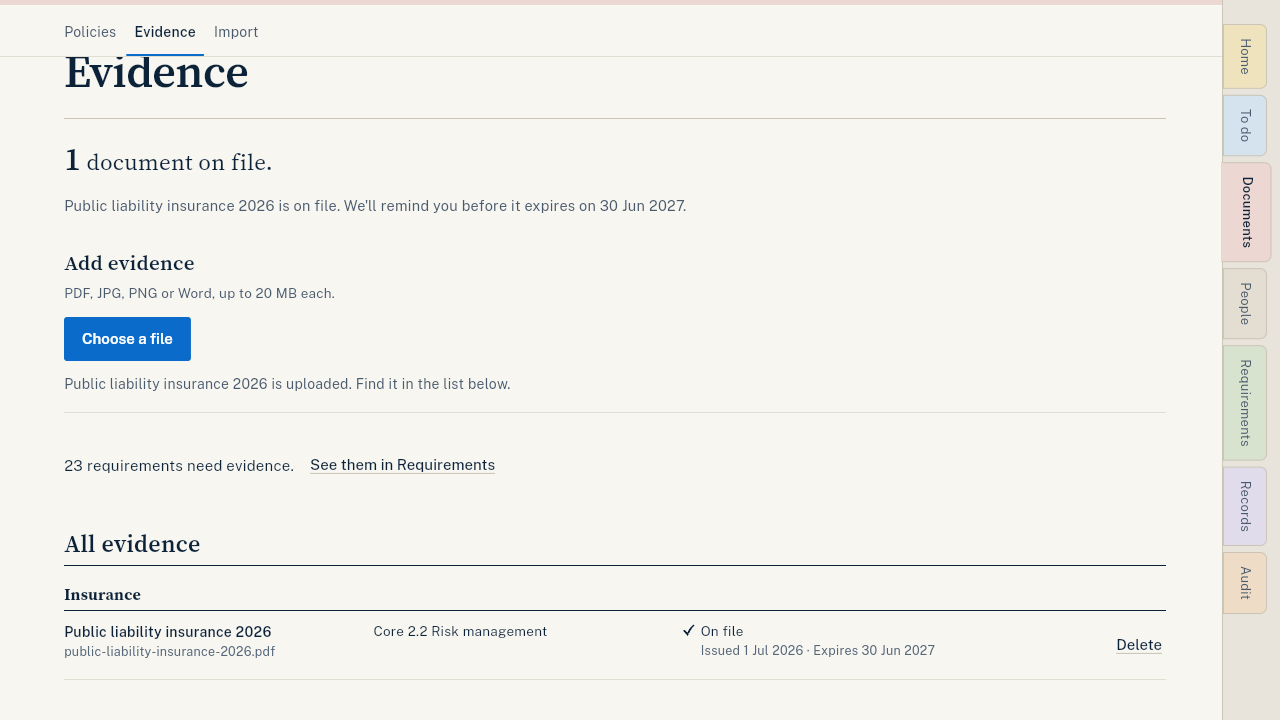
- Press Confirm. The document is now used as evidence. Do this for each document.
Good to know
- A document is used as evidence only after you confirm it.
- Add a document lists requirements that still have no document. Press one to add a document for it.
- Workers can send their own certificates from their staff link. You check and confirm them here.
- A document about to expire? See Replace a document before it expires.