Help centreGetting started
Do the quick check
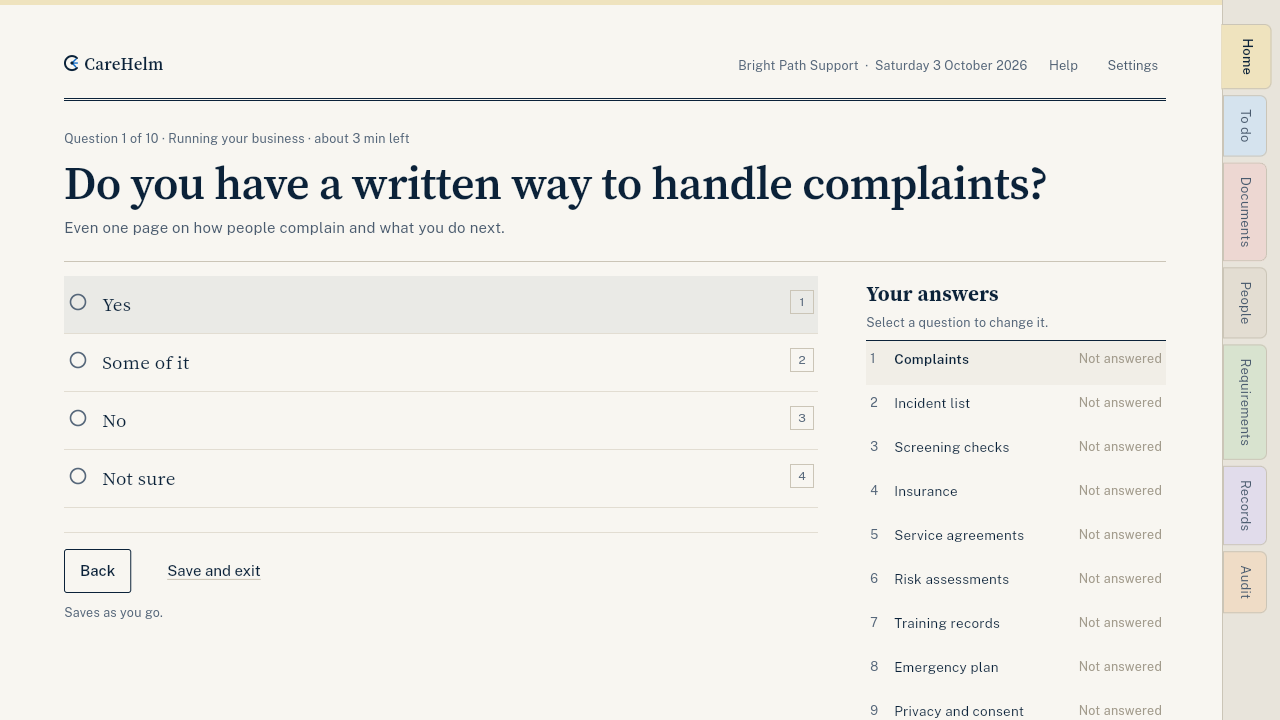
Ten questions, about three minutes. You then see how many requirements you already have in place, and a first task.
The quick check asks what you already have in place, like a complaints process, insurance and worker screening checks. CareHelm uses your answers to show how many requirements are in place and what to do first.
Steps
- On Home, press Start quick check.
- Choose Answer the 10 questions. If nothing is in place yet, choose Skip the questions: every requirement starts as Not yet.
- Answer each question with Yes, Some of it, No or Not sure. On a computer you can press the keys 1 to 4.
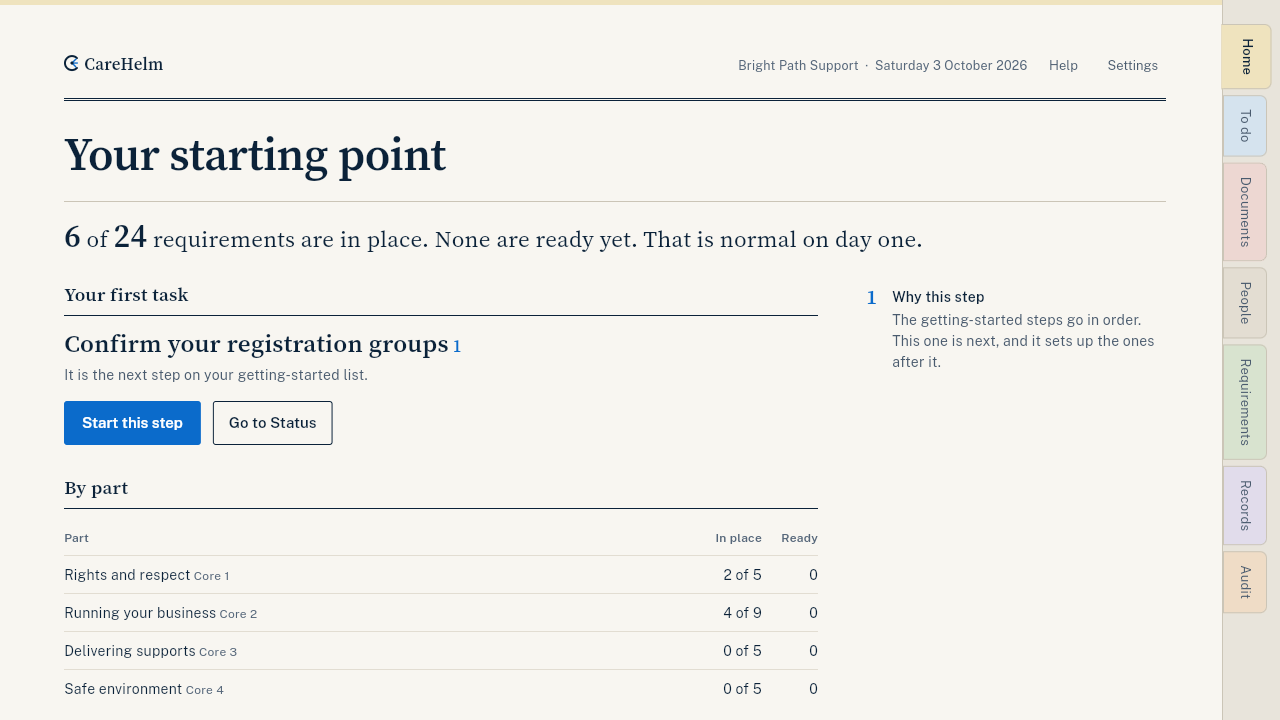
- After the last question, read Your starting point: how many requirements are in place, and Your first task.
- Press the button under your first task, or press Back to Home.
Good to know
- Answers save as you go. Press Save and exit to finish later.
- To change an answer, press Change my answers on the result page.
- Your answers carry over into the gap assessment. See Answer the gap assessment.
- Ready means a published policy and current evidence.