Help centreGetting started中文
Get started in CareHelm
The seven steps on your Home page, in the order to do them.
Home shows one next step and a getting-started list. The list goes in a fixed order, because each step sets up the ones after it.
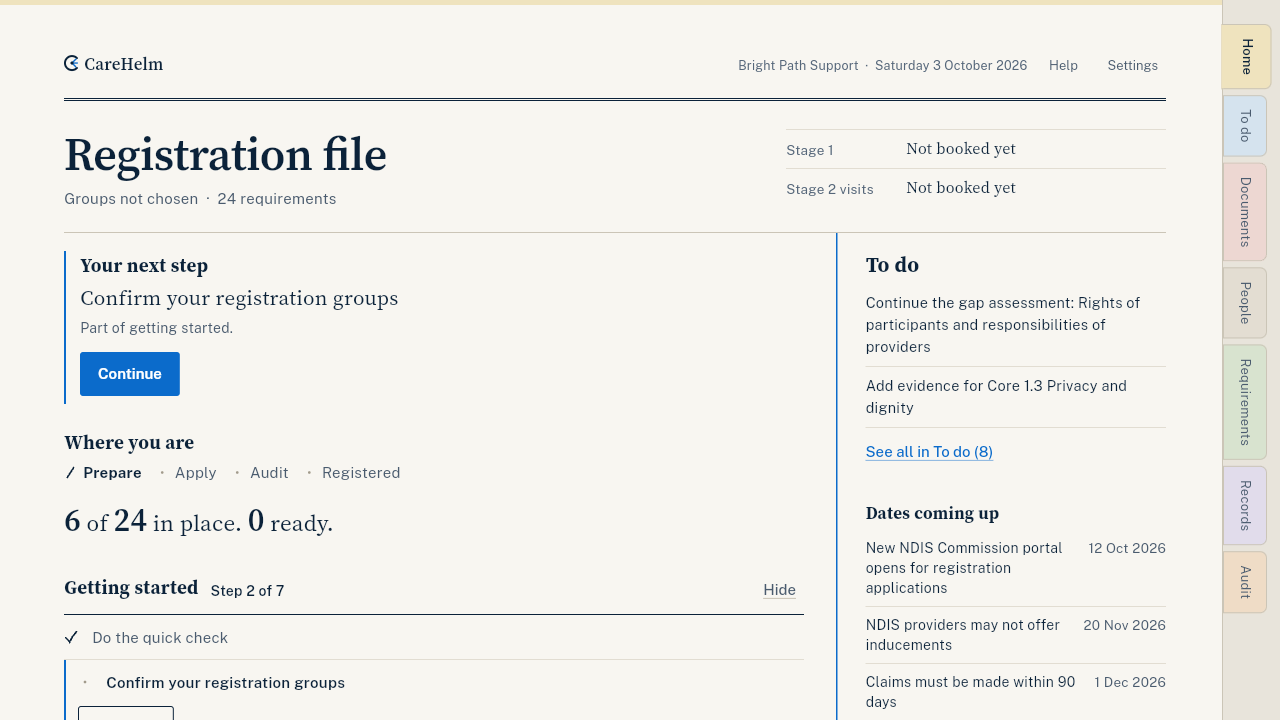
The seven steps
- Do the quick check. Ten questions. You then see how many requirements you already have in place. See Do the quick check. If you already have policies and records, this step is Add the files you already have instead. See Import your files.
- Confirm your registration groups. They set which requirements apply to you. See Choose your registration groups.
- Answer About your business. Fifteen questions, answered once and used in every policy. See Answer About your business.
- Publish your first policy. See Write a policy from questions.
- Send your workers a staff link, or invite an admin. See Send a worker their staff link.
- Confirm your first evidence. See Add a certificate or other evidence.
- Draft your answers for the NDIS Commission portal. See Draft your portal self-assessment.
Press Continue on the list to open the next step that is not done. When all seven are done, the list folds into one line, Getting started: done. Press Hide to remove it from Home.
Good to know
- Help opens the guide for the page you are on. On a computer it is at the top of each page; on a phone it is under More.
- To change how you started, press Change how you start at the bottom of Home. It only changes the steps Home shows. Everything you have entered stays.