Help centreGetting started
Choose how to start
The first screen after you set up your organisation. Pick the path that fits where you are.
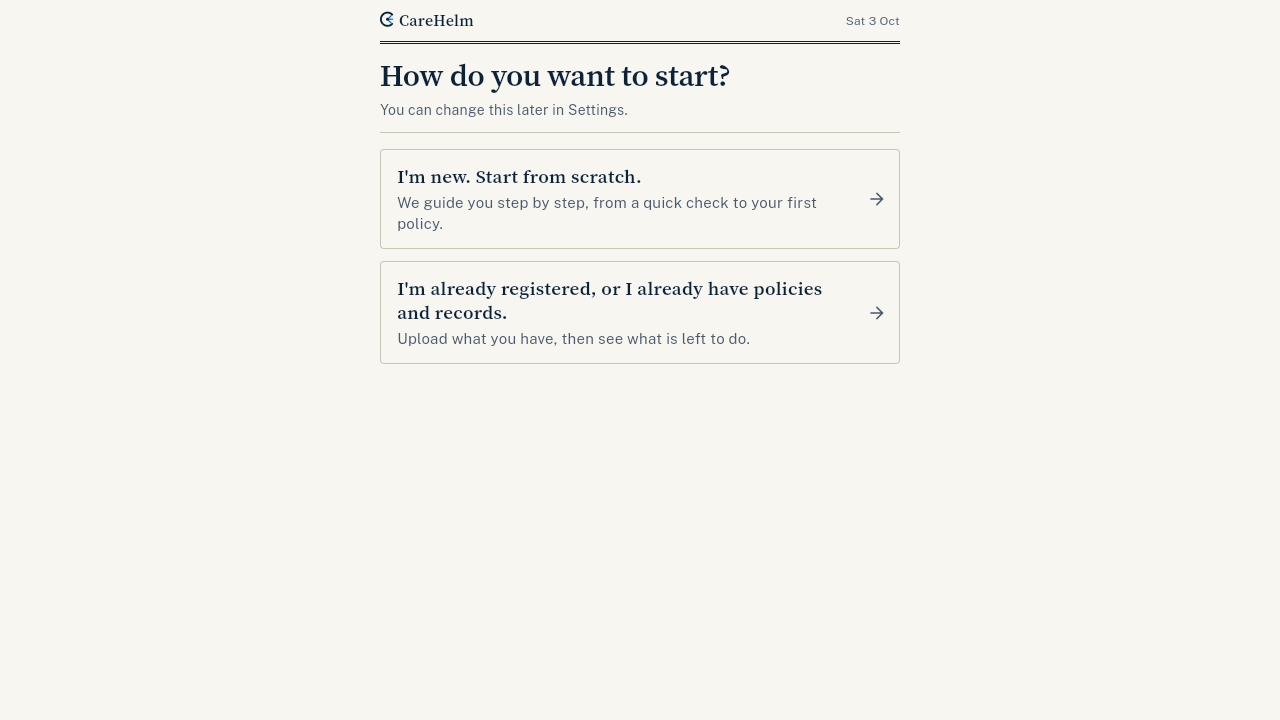
After you set up your organisation, CareHelm asks How do you want to start? Your answer sets the steps and dates CareHelm shows you.
Steps
- Sign in and type your business name and the number of sites. Press Set up my organisation.
- Choose one option:
- I'm new. Start from scratch. For providers preparing their first registration. CareHelm starts you with the quick check, then guides you to your first policy.
- I'm already registered, or I already have policies and records. For providers who have documents already. CareHelm asks about your registration, then opens Import so you can upload what you have.
- If you chose the second option, say where you are with registration: Not yet, I've applied or Yes, registered. For Yes, registered, type the start date on your registration certificate. Press Continue.
Good to know
- You can change your choice later. Press Change how you start at the bottom of Home. It only changes the steps Home shows. Everything you have entered stays.
- Only the owner or an admin sees this screen.
- Next: Do the quick check or Import your files.